
AI digital asset management uses artificial intelligence inside a DAM to tag, find, organize, and govern brand assets automatically, and makes the DAM a source of truth that external AI tools can query for approved assets and brand rules.
For enterprise brand teams, the problem is scale. Files scatter across departments, each region has its own brand rules and permissions, and a rebrand or a push into new markets can force the whole library to be rethought. Manual tagging and review can't keep up with that on their own.
Until recently, "AI DAM" meant automation inside the library. Now it also means whether the tools your teams draft and design in can reach your brand at all. This guide covers both.
You'll find what AI digital asset management is, how it differs from a traditional DAM, how it works across the life of an asset, six questions for evaluating a platform (three about AI in the DAM, three about the DAM for your AI tools), and the benefits.
What is AI digital asset management?
AI digital asset management (AI DAM) brings artificial intelligence and automation into the heart of DAM tools. Traditional DAM systems are built around organization, giving teams a central place to store, categorize, and retrieve brand assets. But the system itself is largely passive. It stores what you put in and retrieves what you search for.
AI-powered DAMs go further. Where a traditional DAM organizes assets, an AI DAM interprets, predicts, and optimizes them. In 2026, that work runs in two directions.
AI in the DAM
The first direction is automation inside the library. The system tags assets on upload, understands a search as intent rather than exact keywords, flags duplicates and expired rights, runs workflows without a person routing every file, and increasingly carries out instructions people give it in plain language. This is what most of the market means by AI DAM, and it's covered in detail in the evaluation section below.
The DAM for your AI tools
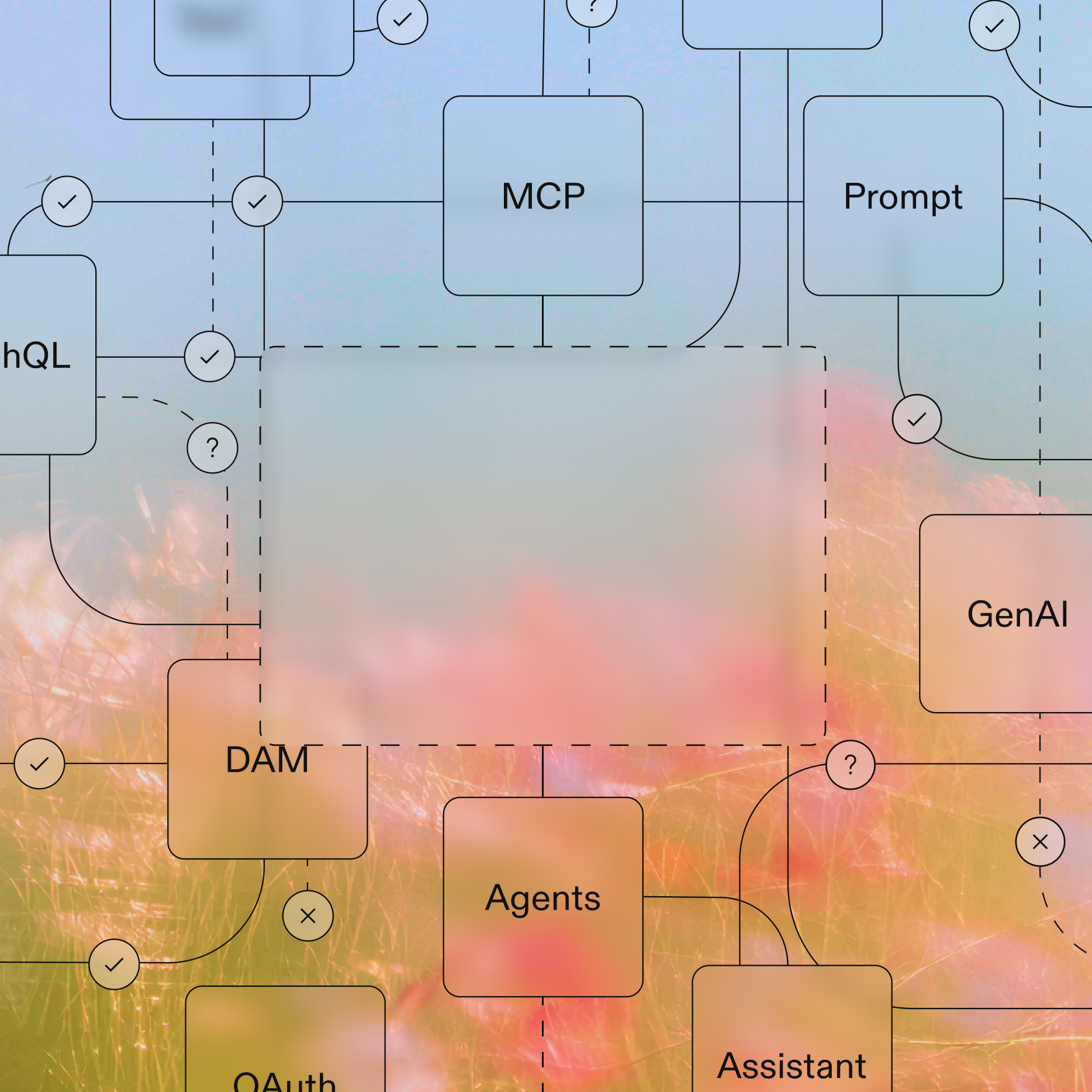
The second direction is newer. Teams now draft copy, build decks, and generate visuals in AI assistants, and those tools work from whatever brand context they can reach. If your DAM and guidelines are closed to them, the assistant guesses at the logo, the palette, and the tone. If the DAM exposes assets and rules through an open protocol, the assistant works from the real brand.
The Model Context Protocol (MCP) is the open standard that makes this connection possible. Our guide to machine-readable brand guidelines goes deeper on how to make brand rules usable by AI tools.
AI digital asset management vs traditional DAM
The difference between traditional and AI-powered DAM ultimately comes down to what the system does with your content.
Traditional DAM stores and organizes: it's a well-structured archive that performs exactly as configured. AI tools interpret, learn, and optimize, turning your asset library into an intelligent content ecosystem that actively supports brand consistency, operational efficiency, and business performance.
Here's a brief overview of how the two types of DAM differ.
Why AI matters in modern digital asset management
As content demands accelerate and brand complexity grows, AI is becoming a structural necessity for enterprise digital asset management.
Content volume is rising and trust in it is falling
The volume of assets enterprise marketing teams manage keeps growing, and AI is accelerating it. A single campaign can now produce hundreds of images, localized copy variations, and video cuts in the time it once took to deliver a handful of finished assets. Marketing leaders expect that to continue: in a May 2026 Gartner survey, they said they expect AI-driven automation of marketing work to more than double, from 16% in 2026 to 36% by 2028.
Audiences are noticing the output, and not kindly. In a June 2026 Gartner survey, 49% of US consumers said generative AI has made the quality of available content worse.
Put those together and the brand has to stay recognizable and correct at much higher volume, produced by more tools and more people. That's a governance problem before it's a production problem, and manual tagging and review can't keep pace with it.
Governance has to run at machine speed
For global brands, inconsistent asset usage is a legal and reputational risk. An expired image license used in the wrong market, or an outdated product campaign running in a regulated industry, can carry serious consequences. At the same time, teams are asked to do more without more headcount, and repetitive work like tagging, resizing, converting file formats, and digital rights management eats hours that skilled people should spend on higher-value work.
AI helps on both fronts by monitoring the library continuously and taking on the repetitive work. But when AI tools are producing the content, the guideline check also has to happen inside the tool at the moment of creation, not in a review two weeks later. That's what a brand assistant and a direct connection between the DAM and those tools are for, and the evaluation section below covers both.
How AI works in digital asset management
Four technologies do most of the work. Machine learning learns from how assets are tagged and used, so suggestions improve over time. Natural language processing (NLP) turns a search into intent rather than a keyword match. Computer vision reads what's inside an image or video, from objects and logos to text. And generative AI produces variations, descriptions, and translations. Here's what they do together at each stage in the life of an asset.
When an asset is uploaded
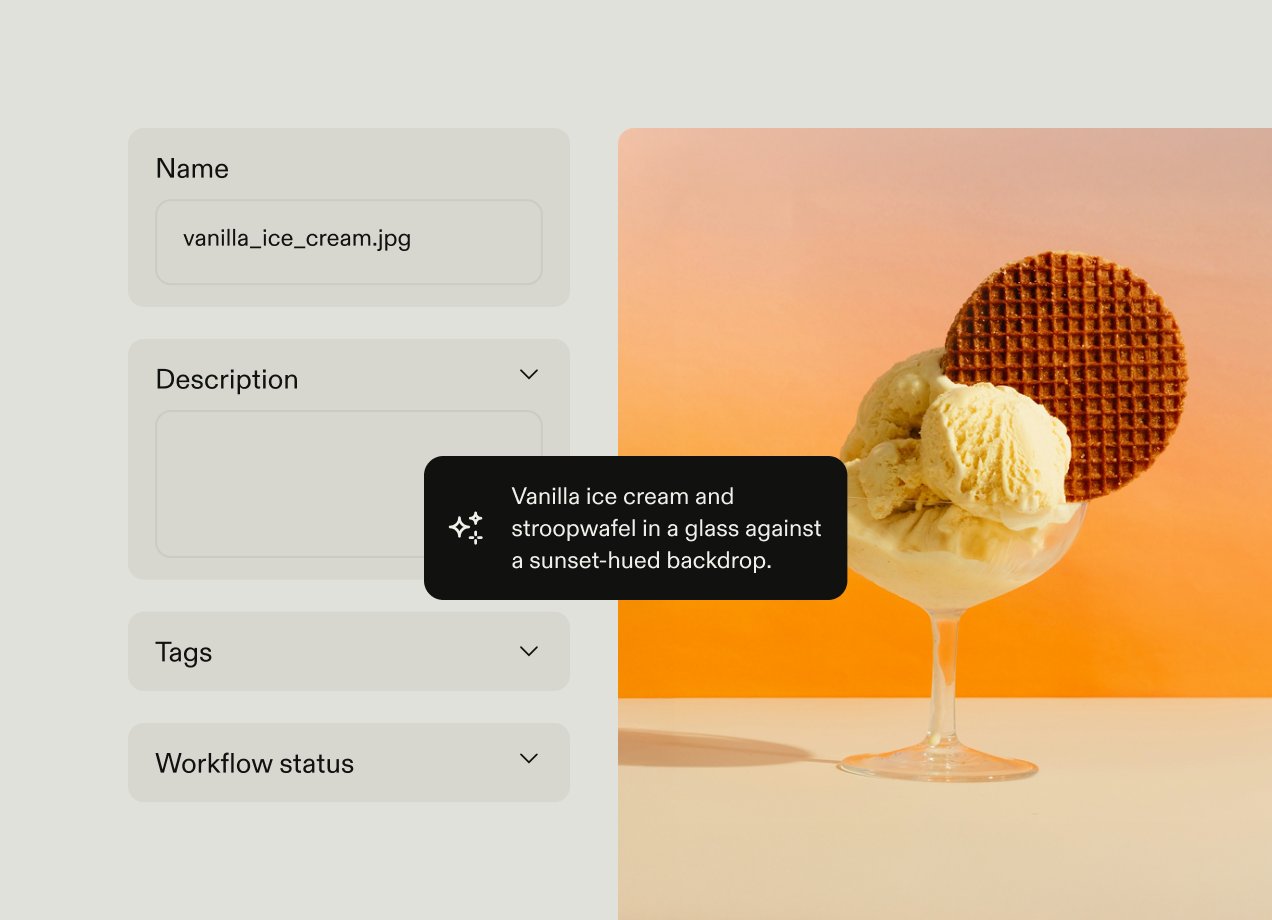
In the seconds after a file lands, the system reads what's in it. It applies tags, generates a title and description, suggests values for metadata fields, checks the library for existing near-duplicates, and reads any usage rights embedded in the file. An image of a branded sneaker in a gym, for example, might be tagged "fitness, lifestyle, sneaker, product launch," with its usage rights pulled from the file itself.
When someone searches
The system interprets the query as intent rather than matching exact keywords. It recognizes synonyms and related concepts, reads images and the text inside files, and handles queries in different languages, so a marketing manager in Germany and a brand lead in Singapore can search the same library in their own language and get the same results. Instead of guessing a file name, people type what they want: "show me product photos with blue backgrounds" or "find last year's holiday campaign banners with snowflakes."
When content is created
While someone is producing something, AI works in the background of the task. Templates lock the brand elements, such as the logo, fonts, colors, and layout, while the person changes only the variable content. Generative AI produces channel-specific variations and translated versions from a single source. And a brand assistant answers guideline questions in the moment, so the person can check the rules without leaving their work.
When governance runs
Governance runs continuously rather than at review time. The system watches for expiring licenses, outdated versions, and off-brand usage, routes assets to the right reviewer based on type or region, and updates workflow status as approvals happen. It works at a scale human oversight alone can't match, which frees people for the judgment calls instead of the checks.
When someone gives the DAM an instruction
Automations follow rules someone defined in advance. An AI agent works from an outcome instead. A person selects a set of assets and describes what they want in plain language, such as "add these to the spring campaign collection, update the license expiry to June, and move them to approved." The agent works out the steps and picks the actions it needs: updating metadata, creating folders or collections, moving assets, changing workflow status, or updating license details. It shows the person its plan before it changes anything, then carries it out across the whole selection once they approve. The person no longer needs to know where each feature lives, only what they want done.
When an AI tool queries the DAM
Someone drafting in an AI assistant asks for the approved logo or the rules for a regional campaign. The assistant sends that request to the DAM through an open protocol, the Model Context Protocol (MCP). The DAM checks what that connection is allowed to see and do, then returns the approved asset, the guideline page, or the template. The assistant works from that instead of its own guess.
An agent doesn't have to stop at one request. Asked to draft a campaign, it can search for approved assets, pull the relevant guideline section, check the tone-of-voice rules, and export a template in a single flow, calling the DAM at each step without a person routing the work between them. Our guide to machine-readable brand guidelines explains how to make brand rules usable this way.
What to look for in an AI digital asset management platform
Most AI DAM feature lists look the same on a comparison grid: auto-tagging, smart search, automations. The six questions below are what actually separate platforms.
The first three are about what the AI does inside the library. The last three are about whether the library can serve the AI tools your teams already work in. Most vendors can answer the first group. The second group is where the shortlist gets short.
AI in the DAM. These three questions are about whether the platform runs the library for you.
Does it organize the library without manual work?
Manual tagging is inconsistent, subjective, and slow, and enterprise teams can upload thousands of assets a month. Ask whether the platform tags assets and suggests metadata on upload with no setup, whether it gets better as people correct it, and whether it catches duplicates before they pile up. Duplicate detection matters more than it sounds: libraries quietly fill with cropped images, resized banners, and slightly altered product shots that nobody realizes are copies. The strongest platforms also put that metadata to work, recommending assets that are often used together, or only the versions approved for a given region.
Frontify's DAM tags assets automatically on upload with no setup, suggests predictive metadata, and runs duplicate detection in the background. Our guide to automated metadata tagging covers how this works in more depth.
Can people find things the way they'd describe them?
Search is where most people decide whether a DAM is worth using. Ask the vendor to search a real library with the kind of query your teams actually type, such as "smiling customers in a store, landscape format." A good answer handles plain-language queries, search by image, and search for text inside files like PDFs and decks, ideally in each user's own language.
Frontify supports all three: natural language search, image search, and search for text within files.
Can the brand team automate and localize without a developer?
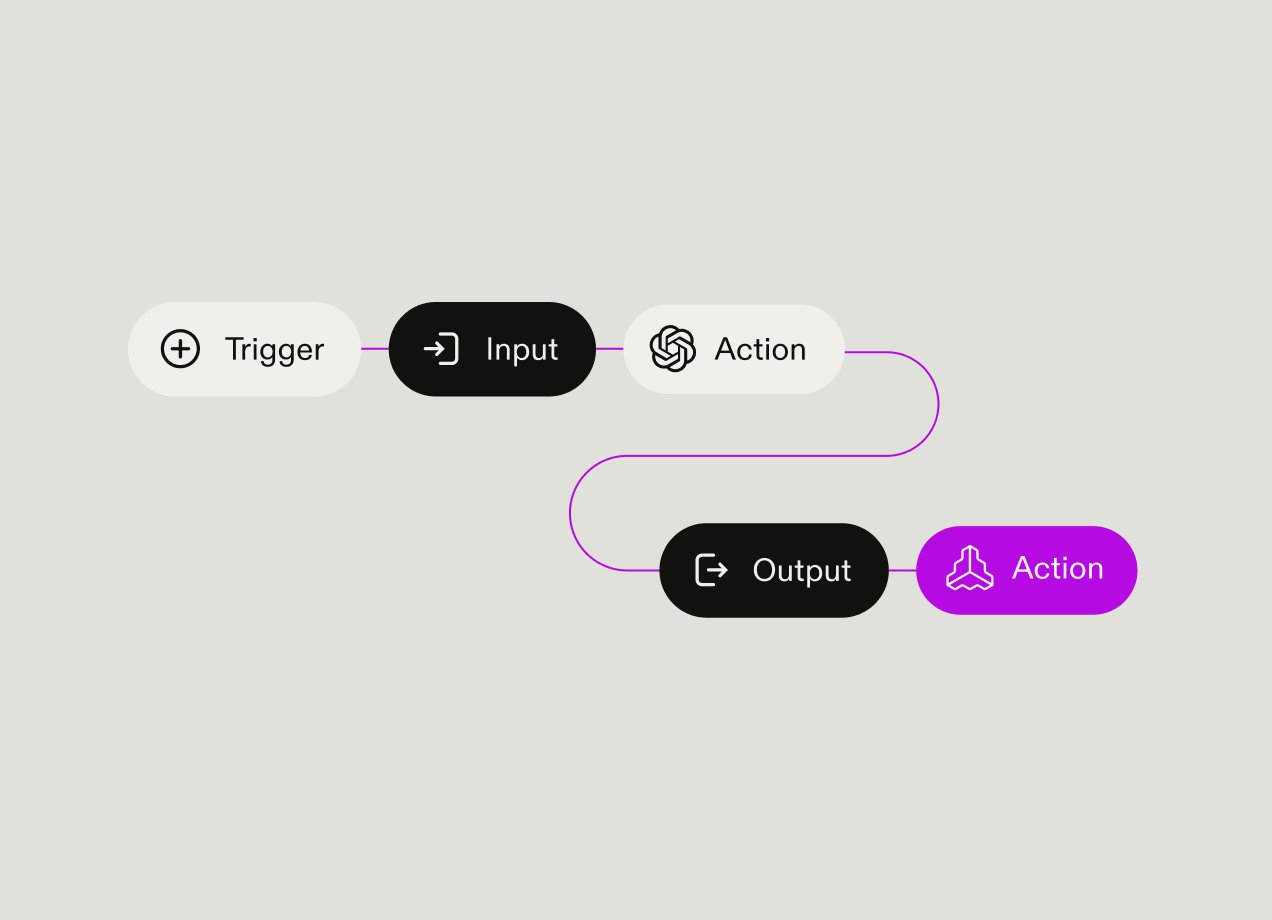
AI brings intelligence to DAM workflows by automating repetitive tasks and responding to triggers in real time. It can route assets based on type, assign reviewers automatically to prevent bottlenecks, and launch AI actions whenever a file is uploaded, a project status changes, or an asset enters a particular folder. Ask to see an automation built live: a trigger, a chain of AI actions, an output. If building one needs a services engagement, it won't get used.
Automations cover the work you can define in advance. For everything else, ask whether the platform has an agent: something that takes a plain-language instruction, works out the steps itself, and shows you its plan before it acts.
Frontify's automations let a team chain AI actions on a trigger: analyze an uploaded image, generate a description, apply tags, and update the workflow status. For work that doesn't fit a rule, the Brand Assistant in the DAM acts as an agent: select up to 100 assets, describe the outcome, and it updates metadata, creates folders and collections, moves assets, changes workflow statuses, or updates licensing across the selection.
The DAM for your AI tools. These three questions are about whether the platform can be the brand's source of truth for the assistants your teams already draft, design, and build in. This is the newer half of the category, and the one where most platforms have no answer yet.
Does the AI know your brand or a generic one?
Many companies still keep their guidelines in static PDFs, so checking them is manual and, in practice, often skipped. The brand team ends up policing creative work by hand: logo misuse, outdated assets, files used after their license expired. AI can take on some of that checking, but only if it knows your brand. Auto-tagging trained on stock imagery calls a product shot "shoe." An AI that reads your guidelines knows it's the spring campaign hero and which markets it's cleared for.
Some vendors now package this as a catalog of named, task-specific agents: compliance agents that detect logos or banned terms, enrichment agents that write alt text or classify assets by audience, transformation agents that reframe images for each channel. Others build one assistant that works across the platform. Either model can work. The question that separates them is the same one: does each agent work from your brand's rules, or from a generic model of what a brand looks like?
So ask where the AI's answers come from. Frontify's Brand Assistant draws on the brand guidelines hosted in the platform and answers questions in plain language, such as which logo to use on a dark background or whether a concept fits the tone of voice. Every answer links back to the guideline section it came from, so people can verify it. That source link is the point: the assistant is a faster way to check the rules, not a replacement for them. Frontify takes the one-assistant approach: the same Brand Assistant that answers guideline questions also acts on the library, so people describe the outcome they want instead of learning a set of separate tools.
Can the AI tools your teams already use reach it?
Your teams are already drafting in ChatGPT, building in Cursor, and writing in Claude. An AI DAM should let those assistants read from it directly, so the person gets the approved logo and the real color values instead of the model's best guess. The open standard for that connection is the Model Context Protocol. Ask which AI tools are supported today, and whether access can be scoped by role.
The Frontify MCP server is hosted by Frontify, so there's nothing to install. It connects tools like Claude, ChatGPT, and Cursor to your Frontify account and covers asset search and retrieval, metadata, comments, guidelines, template export, and workflow tasks. It ships in tool packs by role, from a read-only discovery pack through asset organization, creative automation, and full admin, so the brand team decides how much an AI tool is allowed to do. With the right packs enabled, an agent can go from a single prompt to a finished design with custom text, imagery, and layout. Frontify recommends starting with the read-only discovery pack. Our guide to selecting a DAM in the age of AI covers what to look for in an MCP server in more depth. Teams standardized on Microsoft can bring the same brand knowledge into Microsoft workflows through Frontify's Microsoft Copilot integration.
Where does a human stay in the loop when AI tools can write to it?
Once agents and external assistants can read from and write to the library, governance has a new edge. Ask three things. Where does the platform require review before AI output goes live: an agent's plan before it runs, translations before they're published, assets before they're distributed, and write actions from external AI tools before they change anything? Do AI features respect the same role-based permissions as the rest of the DAM? And is your brand data used to train shared models? A vendor who hasn't thought about this won't have clear answers.
In Frontify, the DAM agent presents its plan for review before it changes anything, you review an AI translation before it's published, and the MCP server's tool packs let you start read-only and add write access only when you're ready, so an external agent's write actions don't skip the review gates everything else goes through. Frontify's own MCP documentation is direct about why: write access carries real risk, and AI outputs should be verified before anyone takes an important action on them. For certifications and data handling, see Frontify's security page.
Use the six questions as a scorecard when you sit through vendor demos.
Benefits of AI digital asset management
Once the platform is in place, the benefits of AI digital asset management show up in five ways.
Faster asset discovery
AI-powered semantic search dramatically reduces the time teams spend searching for files. Instead of browsing through multiple levels of folder hierarchies or guessing file names, users quickly retrieve relevant assets through intent-based queries using naturally phrased questions.
A marketing manager searching for "product photos from last summer's campaign for the Spanish market" gets relevant results in seconds, rather than submitting a request to a DAM administrator or manually scrolling through folders.
Improved searchability may sound like a small benefit, but it adds up to meaningful productivity gains across marketing and creative teams. Aside from the actual searching time, it also helps speed up production cycles, gives users greater confidence in their asset libraries, and reduces duplicate assets that are created when the original can't be found.
A library people can find things in is a library people use. Uber's brand hub on Frontify is used by more than 20,000 team members, and usage grew 136% over the last 12 months.
Reduced operational costs
Automated metadata tagging, asset routing, and compliance monitoring remove a significant volume of manual work. Consider a global brand that adds hundreds of assets per week to its DAM across multiple regional teams. Without AI, that volume requires dedicated staff just to tag, sort, and route files before they're usable. AI handles that overhead automatically, reducing labor costs or allowing team members to focus on higher-value, strategic work instead.
The savings are real at the brand team level too. Caribou Coffee's brand team saves up to 10 hours a week now that people across the business produce their own branded content. "I've used many asset management systems over the years, and Frontify's platform is far and away the best tool I've worked with to date," says Leah Palmquist, Creative Director at Caribou Coffee.
Improved brand consistency
The traditional model of brand consistency is review: flag non-compliant assets and catch outdated materials before they're used. For a multinational brand managing creative across dozens of markets, that means hoping an outdated logo or last season's product image gets caught before it runs in a campaign.
When the AI tools producing the content read from the DAM, consistency is enforced at the moment of creation instead. The assistant drafting the regional campaign is already working from the approved logo, the current palette, and the right tone, so there's less for the brand team to catch afterward. The result is fewer compliance errors, a more consistent global brand identity, and reduced legal exposure from misused or unlicensed assets.
Increased campaign speed
Smart automation and AI-assisted search and discovery help reduce production cycles and creative workflows significantly. A regional marketing team preparing a product launch no longer needs to ask their central brand team to create, find, or send them assets. They can independently design or search for materials, confident that the DAM will flag any files that aren't approved or don't comply with brand standards.
That reduction in back-and-forth translates directly into shorter time to market and faster regional rollouts, giving companies a meaningful competitive advantage, especially in fast-moving industries.
Measurable content ROI
AI-powered analytics give marketing leaders clear visibility into how assets actually perform: which content drives engagement, which gets reused across campaigns, and which sits untouched.
For example, you might discover that ads using a specific set of lifestyle images consistently outperform product-only shots across paid channels, directly shaping how the next production budget is allocated. Rather than guessing at what's working, teams can make evidence-based decisions that connect investment in creative and brand assets to measurable business outcomes.
Why Frontify is a leader in AI digital asset management
Frontify's AI starts from the brand. Its Brand Assistant answers brand questions in plain language, drawing on your own guidelines and linking every answer back to its source, in more than 100 languages. In the DAM, the same assistant carries out library tasks you describe, and shows its plan before it acts. Its MCP server connects Claude, ChatGPT, and Cursor to your assets, guidelines, and templates, so AI tools produce on-brand work instead of guessing.
Together, they work as brand intelligence: a central layer of brand context that people, other tools, and AI workflows all draw from.
Frontify is an enterprise DAM at its core, wrapped in guidelines, templates, governance, and AI-powered brand intelligence.
AI in the DAM: Auto-tagging, predictive metadata, duplicate detection, natural language and image search, automations, AI translation, and the Brand Assistant acting on plain-language instructions keep the library organized and moving without manual work.
The DAM for your AI tools: The Brand Assistant, the MCP server, and the Microsoft Copilot integration make that library the source of truth for the assistants your teams already use.
Book a demo to see how Frontify brings AI into your brand and asset workflows.
AI digital asset management FAQs
Can ChatGPT or Claude access our brand assets directly?
Yes, if your DAM supports the Model Context Protocol (MCP). The DAM exposes assets, guidelines, and templates through an MCP server, and the assistant queries it with the same permissions as the person using it. With Frontify, a team connects Claude, ChatGPT, or Cursor to the hosted Frontify MCP server, and Frontify is also available as an official connector in Claude. A marketer drafting a launch email in Claude can then pull the approved hero image and the current tone-of-voice rules without leaving the chat. Start with read-only access, and add write access once you've decided where human review sits.
What's the difference between AI automation and an AI agent in a DAM?
An automation follows rules you define in advance: when a file lands in this folder, tag it, generate a description, and send it for review. An agent works from an outcome you describe and decides the steps at runtime. Ask an agent to "get these 40 product shots ready for the German launch," and it works out that it needs to update the metadata, move the files into the right collection, and change their workflow status. Automations suit work that repeats the same way every time, while agents handle the one-off requests that would otherwise mean clicking through menus. In both cases, a well-governed platform shows you what will change before anything does.
How do you stop AI-generated assets from cluttering the DAM?
Treat AI output as a draft until someone approves it. Give generated assets their own library, folder, or status, and label them so people can tell a draft from an approved asset at a glance. Route them through the same approval workflow as everything else before they reach the brand portal, and let duplicate detection catch near-copies as they're uploaded. Finally, set archive rules so unused drafts expire instead of piling up. A team that generates 50 banner variations for a test, for example, should be able to keep the two winners and let the rest drop out automatically.
Do we need to clean up our metadata before moving to an AI DAM?
Not all of it. Auto-tagging and AI-generated descriptions take care of most descriptive metadata, so there's little value in hand-tagging files the system will tag on upload anyway. Focus the cleanup on what AI can't infer: your taxonomy, usage rights and expiry dates, approved regions, and product or campaign names. Delete obvious junk and duplicates before migrating so you don't pay to move them. A focused pass on high-value fields beats a months-long cleanup project that delays the move.
How is AI digital asset management priced?
Most vendors price on some combination of users, storage, and feature tiers, and AI features are either included or sold as add-ons. When you compare quotes, ask which AI features are in the plan you're being quoted, whether AI actions like tagging, translation, or automations have usage limits, and whether AI tool connections such as MCP cost extra. Ask for pricing at your current headcount and at double it, since that's where models diverge. Our guide to digital asset management pricing breaks down the common models and hidden costs.
Is AI DAM secure?
Enterprise AI DAM platforms are built with security as a core requirement. Leading solutions offer role-based access controls, end-to-end encryption, and detailed audit trails that log every asset interaction. Many platforms also support frameworks such as GDPR, SOC 2, and ISO 27001. See Frontify's security page for its certifications.
What industries benefit most from AI-powered DAM?
Any enterprise company managing high content volumes across distributed teams and markets stands to gain significantly from AI DAM. More specifically, retail and consumer goods brands managing thousands of product images and regional campaign variations see immediate returns from automated tagging and visual search. Media and entertainment companies use AI to analyze and retrieve video assets at scale. In financial services and healthcare, AI's continuous governance and monitoring supports strict regulatory requirements.