Digital asset management (DAM) tools provide a centralized repository for storing, organizing, and distributing digital files like images, videos, documents, and audio files. Companies look for DAM solutions when their current process for managing digital files starts causing problems, like using old versions of logos or campaign materials, and increasing use of off-brand materials.
When you compare DAM solutions, companies often start by looking at long lists of features to try and work out what they need. But these aren’t always helpful as the tool with the most features isn’t always the best. Instead, the “best” DAM for your business depends on your workflows, governance model, and how you need the platform to scale across teams and regions.
How to evaluate DAM features for your team
When you’re looking at DAM platforms with long lists of features, it’s helpful to understand the benefits of each feature and what problems it solves for your organization. By mapping features to the specific friction points your teams are trying to resolve, you’ll be able to find tools that offer the functionality that’s most beneficial to your business.
Start with your team's biggest challenges
To find a DAM solution that has the features you really need, first you need to identify the big challenges you’re trying to solve. This will help you map features on a checklist to your real-world business needs.
Some of the main pain points we see companies looking to solve with DAM software are:
- Findability: Users struggle to find brand assets when searching shared drives, email threads, chat threads, or personal drives. Finding files takes a long time as folders are disorganized and assets aren’t properly categorized.
- Brand consistency: Teams often use the wrong versions of files or publish off-brand content. This weakens your brand identity and looks unprofessional.
- Governance: Companies struggle to ensure creative assets comply with licensing and regulatory requirements. It’s also difficult to securely share or collaborate on files with external partners.
- Team productivity: Creative teams are inefficient as they’re slowed down by manual workflows. Other departments rely on designers to produce creative materials for them.
- Scalability: Companies have outgrown their current process for managing digital files. Too many departments or regions need to use different files, and it’s a struggle to produce and organize all the different variations.
Map features to outcomes
Next, work out which features address those pain points. For example, if your teams struggle to find specific assets, you’ll want to check out the search functionality on different DAM platforms, and see how they improve time-to-asset. Or if your main challenge is inconsistent branding, you’ll want DAM software that integrates with brand guidelines to keep branding top-of-mind for creative team members.
DAM solutions often have long feature lists, so try and prioritize based on your top two or three pain points, rather than trying to solve everything. This will help you choose a platform that excels in the specific areas where you expect to see the biggest benefits across your organization.
Essential DAM features for findability and organization
If findability is your main challenge, these are the features you should prioritize when looking at DAM products.
Centralized asset storage
DAM platforms provide a single, authoritative home for all digital files — from campaign visuals and product photography to logos, videos, templates, and presentations. This solves the challenge of hunting for files that are stored in shared drives, buried in email threads, duplicated across personal desktops, or scattered across disconnected cloud folders.
Every file now lives in a single, searchable location, dramatically improving asset findability and reducing time wasted looking for files. Many DAMs also offer cloud-based access, so distributed teams and external stakeholders can securely retrieve assets at any time.
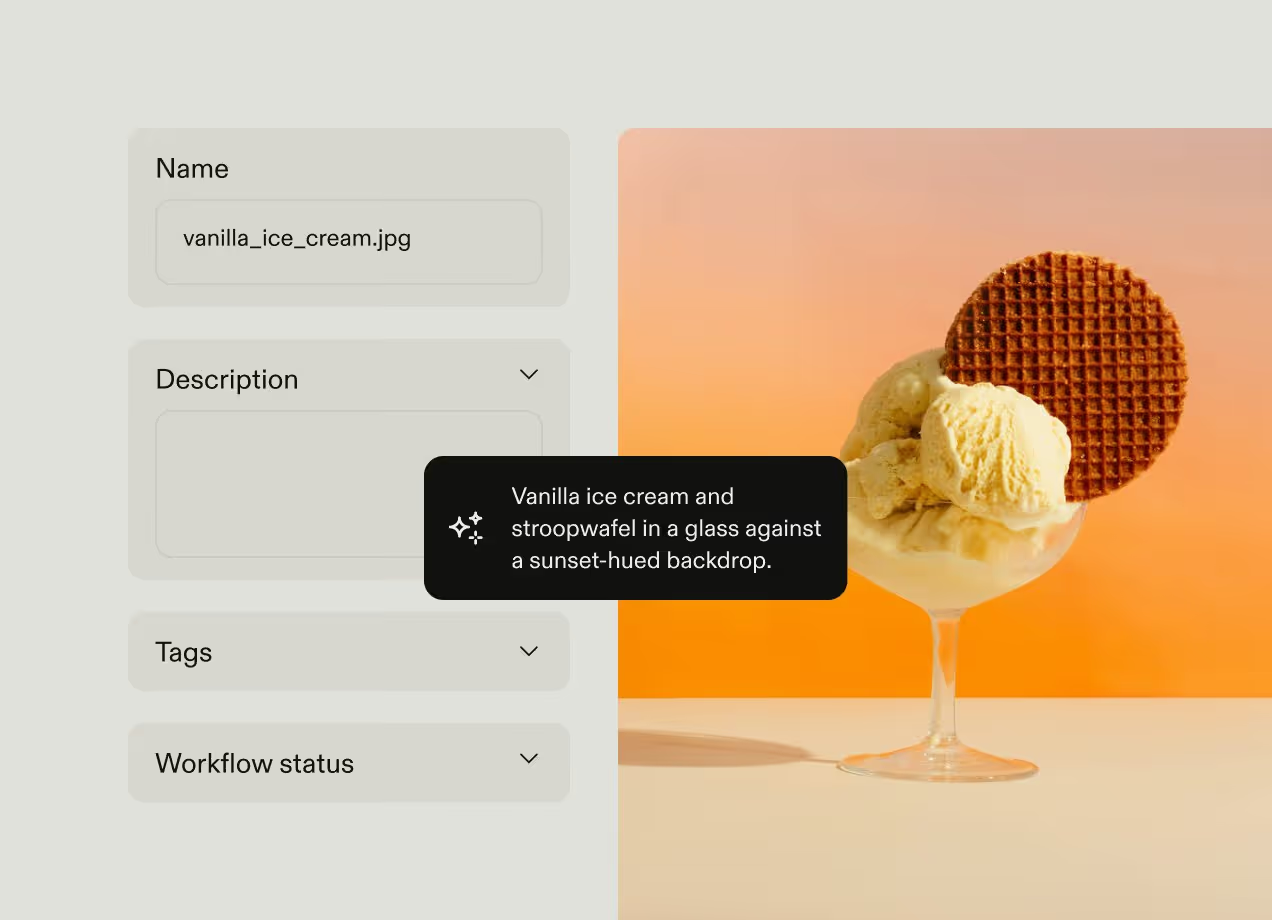
Metadata and tagging
Metadata lets teams attach descriptors to assets using:
- Standard metadata: core information about each file such as asset name, description, file type, file size, creation date, and dimensions.
- Legal information: copyright notice, usage rights, licenses, and expiry dates to ensure assets are used correctly
- Custom metadata fields: other information about each file relevant to your business or how your organization uses assets, such as campaign name, market, product line, or global region
- Tags: open-ended descriptors about the file. These can be added manually or using AI-powered auto-tagging that automatically identifies objects, colors, or embedded text in a file.
These structured data points are the backbone of your DAM, helping assets show up in search results and making it easy to filter large libraries to find relevant files. Detailed metadata and tagging cuts search time, prevents duplicate uploads, and helps avoid accidental reuse of outdated or restricted files.
Advanced search and filtering
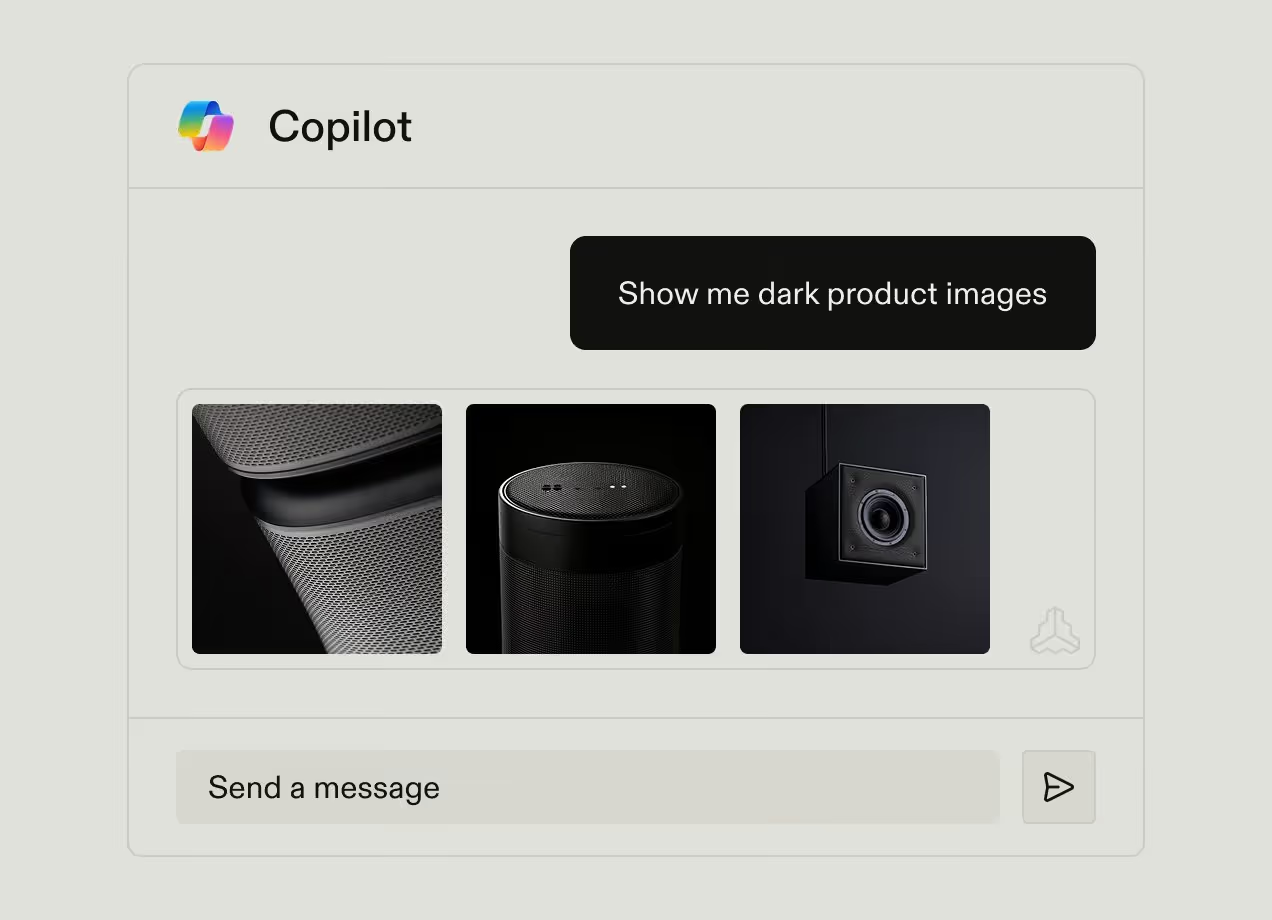
Search functionality and filters make it possible for users to find files within a DAM platform. There are several ways to search, including:
- Keyword search: running searches based on keywords (like using a search engine)
- AI-powered natural language search: running searches using natural language queries (like asking ChatGPT a question)
- Filters: Narrowing down assets based on file type, publication date, custom fields, or tags.
Keyword search is the “basic” search functionality, while AI-powered search and granular filtering are more advanced features. The more advanced the search functionality, the easier it will be for users to find the assets they need in large libraries, as they will have more ways to look for files.
Asset library organization
DAM software offers flexible options to organize assets into a structured library that matches their workflow:
- Hierarchical folders
- Dynamic collections or playlists
- Metadata-driven categories.
Teams often organize assets by campaign, brand, product line, region, lifecycle stage, or any combination that aligns with the way they think about their files. This structured approach makes it easy to locate, share, and manage related files while maintaining clarity across large libraries.
Essential DAM features for brand consistency and governance
This section explains some of the features that support brand consistency and governance. They prevent off-brand usage and reduce the load on your brand team, without being too heavy-handed or restrictive for general users.
Integrated brand guidelines
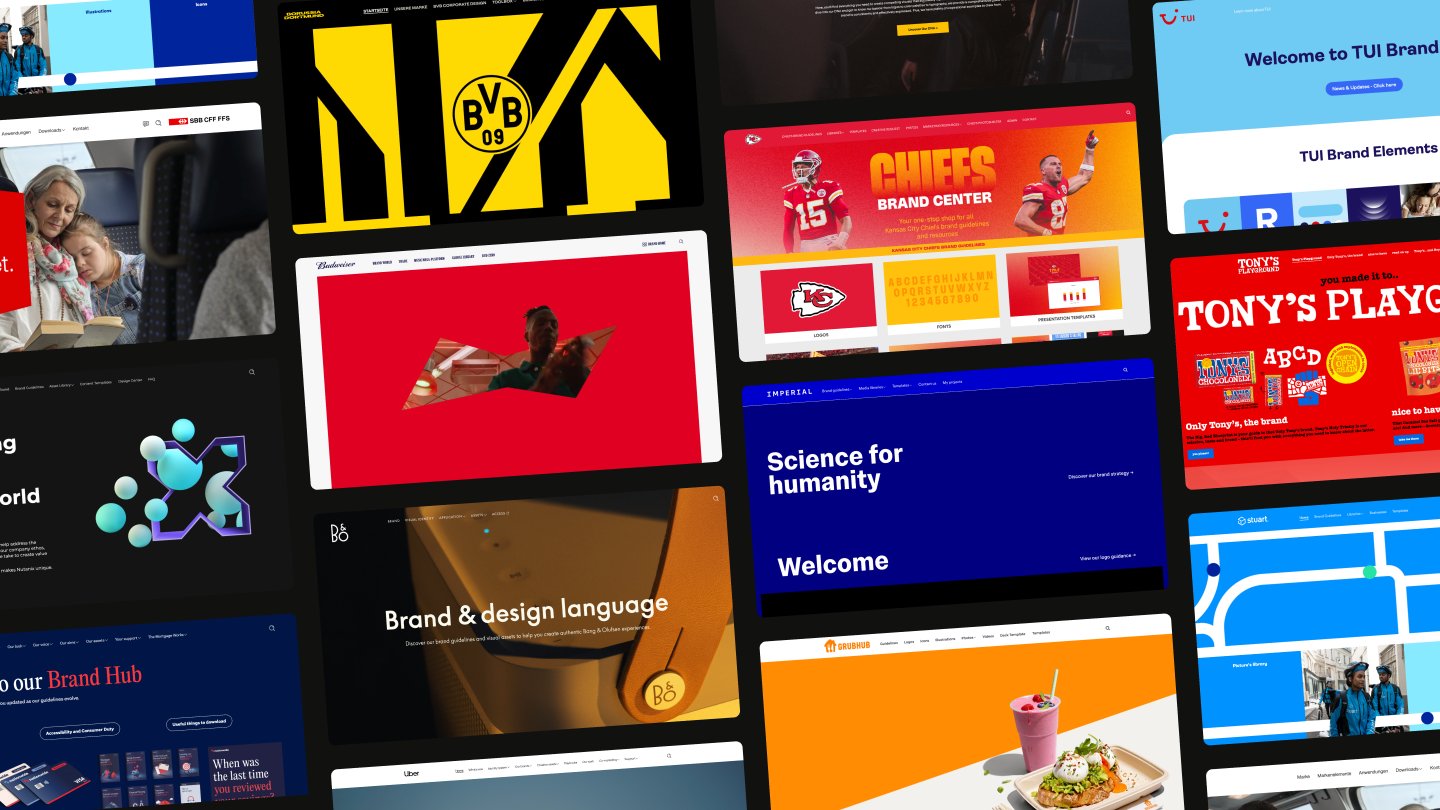
Many companies document their brand guidelines in PDF documents that exist outside of their creative workflows or asset management tools. But some DAM platforms house built-in brand guidelines that live directly alongside your assets. They provide clear rules for logo usage, color palettes, typography, photography style, tone of voice, legal/licensing guidance, plus downloadable templates, component libraries and design tokens.
Users can review guidelines directly alongside assets — for example, with do’s and don’ts on an asset page, or lockable elements on downloadable templates. By embedding guidelines directly in the DAM, companies can enforce consistency across campaigns, channels, and regions, while simplifying onboarding for new employees or agencies.
Version control
DAM software offers functionality to support version control, which is especially helpful for collaborative projects where multiple stakeholders edit or update content at the same time. Teams can track every update made to a file including:
- Comparing changes
- Viewing revision history
- Reverting to previous versions
- Checking for the latest version of a file.
Version control ensures everyone uses the latest approved version of a file, eliminating the confusion caused by using outdated or unapproved assets. It also provides a clear audit trail for compliance and licensing.
Permissions and access control
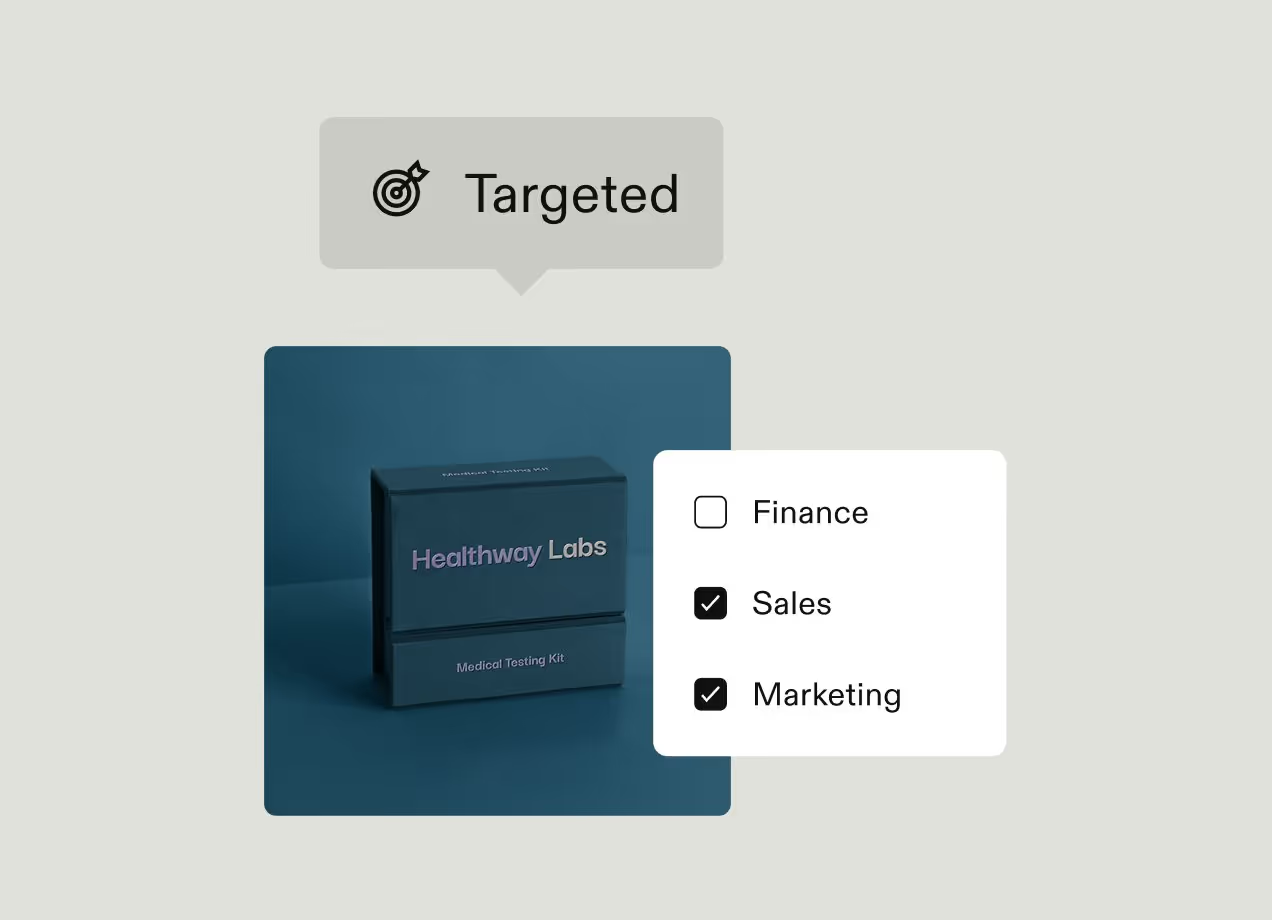
A digital asset management platform should let you grant different levels of permissions to users to control who can view, edit, download, and share your files. Granular user permissions and robust access controls protect sensitive or proprietary assets and help you maintain brand and legal compliance.
Many platforms provide different options for access control:
- Role-based access: people have different levels of access depending on whether they’re an internal team member or an external partner
- Geographic restrictions: team members in different regions only have access to the content that’s approved for use in their region
- Time-limited access: users can only access files within a specified timeframe, for example for seasonal campaigns or to prevent unauthorized access to new marketing materials.
Rights management and expiration dates
Rights management helps prevent costly mistakes like misusing licensed content or using expired brand assets. Some companies use a standalone tool for rights management, but DAM software also offers rights management capabilities, letting teams control access, track usage, and manage licensing of their files.
Some features that support rights management include:
- Encryption: Transforming files into a coded format that can only be accessed by authorized users to protect files in transit and at rest
- Access controls: Setting rules and permissions based on roles, locations, or asset types, to control who can access or share your content
- License management: The license specifies the rights and limitations for using content, and the DAM tracks who holds a license, when it was granted, and how long it’s valid for
- Expiration dates: Tracking when licenses expire or assets become outdated and alerting teams before that happens so they can remove or update assets.
Audit trails and compliance
Audit trails are essential for companies in regulated industries (like healthcare or finance) and enterprise businesses with complex compliance requirements.
DAM software provides audit trails for brand files and creative assets. You can track who accessed what, when, and what actions they took. For example, you can track all changes to a file, all downloads, and when new versions were published.
Essential DAM features for productivity and workflows
If your existing asset management and organization processes slow your team down, look for a DAM with features that reduce production bottlenecks to improve productivity.
Digital and print templates
Some digital asset management software lets you create templates for common digital and print designs so that non-designers can create branded assets independently. These templates connect with your asset libraries so users can easily find approved logos, product images, or campaign photography to drop into their designs.
A DAM with templating functionality speeds up production for marketing, sales, HR, and other teams as your designers or brand team don’t have to be involved in creating every single asset. Your designers create pre-approved layouts with locked elements to maintain brand consistency, then other team members can edit them without further support.
Collaboration and approval workflows
DAMs aren’t just for storing and organizing assets. They also streamline the creative process, reducing review cycles and accelerating time-to-market. Look for a DAM software that offers collaboration features such as:
- Real-time feedback
- Comments
- Workflows for reviewing and approving assets for publication.
Some DAM platforms let you set up automated workflows to route assets according to your governance models, such as sending to global brand owners, legal teams, or regional leaders as required.
Integrations with creative tools
Make sure your chosen DAM integrates with the creative tools your design, brand, and marketing teams favor, such as Adobe Creative Suite, Figma, Sketch, or Canva.
Seamless integrations with creative tools mean that your brand assets are instantly accessible within the tools your teams already use. Check that the integrations are native rather than done via third-party plug-ins. This is important because native integrations bring full DAM functionality into the creative tool, whereas plug-ins normally offer limited functionality, and often break or require updates to keep working.
Multi-channel publishing and distribution
Modern DAMs connect directly to CMS platforms, social media tools, ad managers, and e-commerce systems, enabling teams to publish approved media assets without downloading and re-uploading files.
Some DAM software also offers built-in CDN (Content Delivery Network) capabilities that allow brands to embed dynamic asset links across their websites, landing pages, email campaigns, and product pages. The CDN automatically provides assets in the optimized format and size for each channel and device. When an asset is updated in the DAM, the changes sync everywhere it’s embedded, so your team doesn’t have to spend time manually replacing outdated visuals.
Advanced DAM features for enterprise and global teams
Some DAM functionality will be beneficial for companies of all sizes, while others will be most useful for large, complex organizations. If your company has multi-brand, multi-region, or high-volume requirements, these are the features to prioritize when comparing DAM software.
Multi-brand and multi-region support
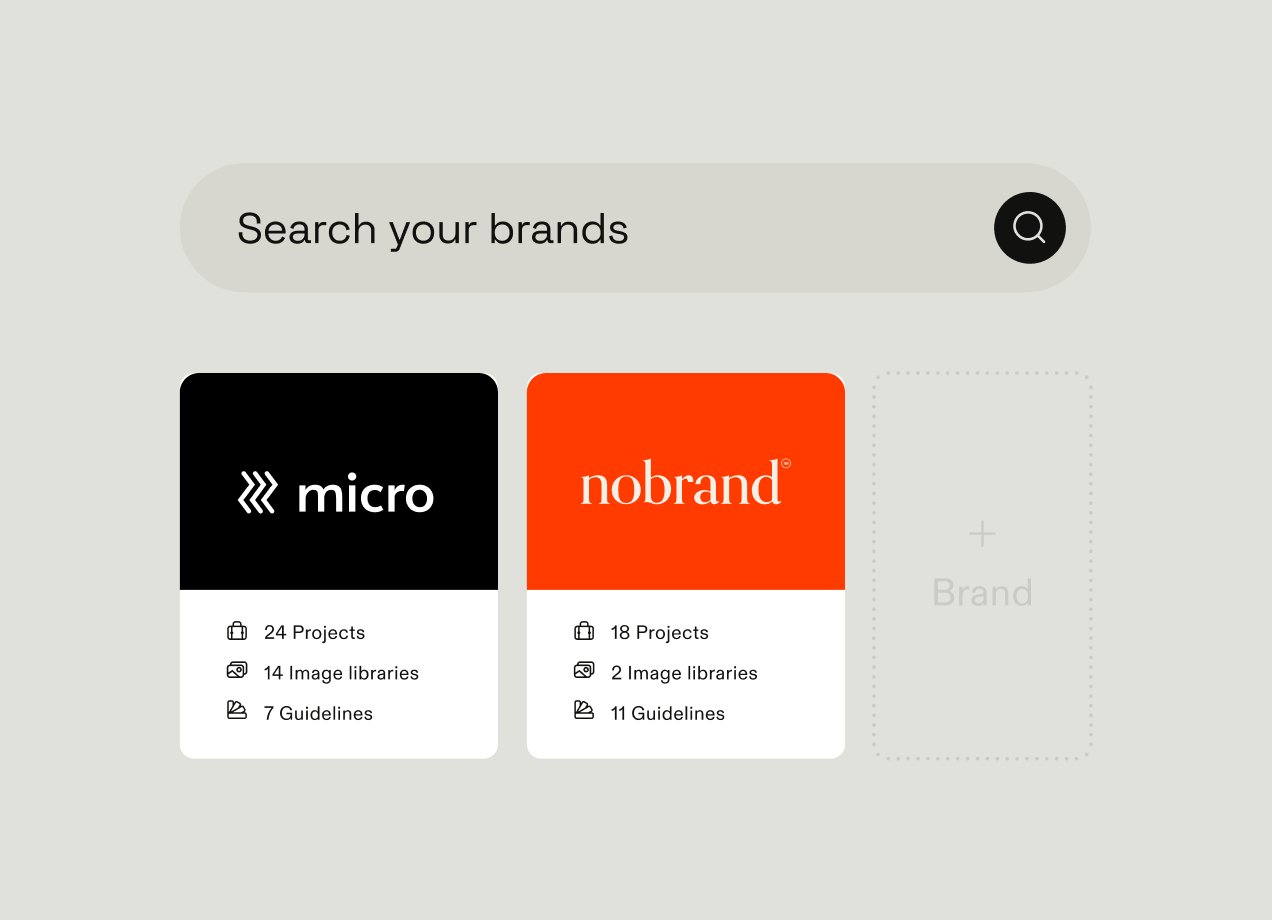
Enterprise DAM platforms allow organizations to manage multiple brands within a single environment while maintaining distinct visual identities, asset libraries, permissions, and brand guidelines for each. Administrators can create brand-specific portals, workflows, and metadata schemas, ensuring clear separation within one system.
DAM platforms can also support companies operating globally. Rather than duplicating assets or running separate DAM instances for different regions, some DAM platforms provide localization functionality including:
- Regional variations
- Language translations
- Market- or region-specific usage rules such as legal disclaimers, imagery restrictions, or channel requirements
For international companies, this reduces operational complexity, accelerates regional campaign rollouts, ensures regulatory compliance, and maintains brand consistency while helping local teams execute effectively.
AI-powered features and automation
Modern DAMs offer a range of AI-powered features including:
- Auto-tagging assets
- Enriching metadata at scale
- Natural language search capabilities
- Visual search
- Automating governance by flagging expired licenses or detecting asset misuse
- AI assistants that answer brand questions, surface relevant guidelines, or guide users to approved templates and files.
As asset libraries grow, AI makes it easier for users to find assets and information more quickly as it personalizes responses based on user roles or past behavior.
Some DAM platforms only offer AI functionality to support search speed and discoverability, helping teams find the right files quickly. Others also offer AI-powered governance, which helps enforce usage rules, flag expired or restricted content, and monitor brand compliance at scale.
Analytics and reporting
Digital asset management systems often provide detailed usage analytics, providing data on views, downloads, shares/embeds, time-on-asset, download formats, search queries and no-result terms, and license/expiry events. Teams can see which files are most popular, which are rarely used, and how different markets or departments interact with brand content.
Analytics and reporting functionality provides the insights that help guide future investment in brand and content. High-performing assets can be repurposed or expanded, while underused files can be archived or updated.
Security and enterprise compliance
An enterprise DAM should provide a range of security features to protect brand assets and user data, including:
- Encryption in transit and at rest
- Integration with SSO and corporate identity management tools
- Two-factor authentication
- Granular role-based access controls
- Security certifications such as SOC 2 and ISO 27001:2022
- Compliance with international regulations such as GDPR.
Enterprise-grade security and compliance features demonstrate the vendor has strong data governance practices. These help to reduce risk, protect intellectual property, and enable secure collaboration on a global scale.
Common DAM buying mistakes to avoid
When choosing a DAM provider, there are several common mistakes and pitfalls that make implementation and adoption a challenge. These mistakes can limit the benefits your team sees from using the platform, reducing your return on investment.
Choosing based on feature count instead of fit
Don’t just choose a DAM that has the longest list of features. Extra features that don’t align with your priorities and business needs can just create extra complexity, which leads to lower adoption levels. Plus, more features doesn’t automatically mean better functionality — two DAMs might list granular access permissions among their features, but one has customizable permissions to fit your company, while the other only has a few pre-defined roles to choose from.
Instead, identify your team’s biggest pain points, and identify the features that will address those challenges. Focus your search around a smaller selection of features and get vendor demos of that functionality so you can see how they’ll work for your organization.
Underestimating the importance of user adoption
Your company will only see the benefits of a DAM system if people actually use it. If you choose a platform with a complicated interface and poor user experience, teams will bypass the DAM in favor of something simpler, regardless of the features it offers.
Look for a platform that’s easy to use — for example, G2 has rated Frontify as the #1 Enterprise DAM for ease of use. When comparing platforms, pay attention to the UI and how easy it is to navigate. Have team members with different levels of digital skills try out a product demo to get a feel for how easy it is to use.
Ignoring integration depth
When comparing vendors, you’ll see long lists of tools the DAM integrates with. Make sure you evaluate the depth of the integration, not just check whether a few specific tools are on that list. You want native integrations, rather than relying on plug-ins to connect different tools.
Native integrations are where your DAM connects directly with the other tool, whereas third-party integrations rely on an intermediary connection between your DAM and the other platform. Plugins normally only offer limited functionality, and often break or don’t sync properly, which creates more problems than it solves.
Focusing on storage over governance
If you’re just looking for a DAM to improve your asset storage, you won’t get the most value from it. While traditional DAMs helped companies solve their storage and organization challenges, those are now table stakes. Modern DAMs should support governance and brand management, not just provide a place to store files.
Look for a DAM that connects to brand guidelines, templates, and creative workflows. This is all functionality that will support brand and asset governance, moving beyond basic asset storage and organization.
Why Frontify delivers more than traditional DAM
Traditional DAM platforms focused mainly on helping companies store and organize their content. But modern companies need much more than that from their DAM software.
Frontify unifies DAM, brand guidelines, and templates within a centralized platform to support asset organization and governancel. With features like customizable access controls, granular and scalable permissions, and automated rights management, Frontify provides everything you need to create, safeguard, edit, and store your files effectively.
If your organization is struggling with asset findability, brand consistency, governance, productivity, or managing assets at an enterprise scale, Frontify offers several key features to help:
- Centralized, searchable DAM: Clean structure, smart metadata, and powerful search support asset organization and findability.
- Integrated brand guidelines: Live, interactive guidelines directly connected to assets to improve brand consistency.
- Digital and print templates: Locked templates that empower non-designers while protecting brand identity.
- Brand Assistant: AI-powered brand assistant answers brand questions instantly in 100+ languages to help teams stay on-brand quickly and easily.
- Adoption-first UX: Rated #1 in ease of use for Enterprise DAM on G2 to make adoption stress-free.
- Granular governance: Permissions, version control, and audit trails for compliance at scale.
- Scalable by design: Built for brands that are growing fast across markets, teams, and asset types.
- Strategic support: Migration, onboarding, and long-term partnership to support teams as they grow.
Whether you're managing a single brand or a portfolio of sub-brands across global markets, Frontify scales with your organization. Book a demo to see how the Frontify DAM can work for your business